I tested Starlink Mini X with Router Mini at home: unboxing, balcony setup and first impressions
I bought and tested Starlink Mini X with Router Mini on Brazil's Residential Max plan: delivery, balcony test setup, 200 Mbps first test and indoor Wi-Fi.
Editorial transparencyI bought the kit myself before permanent roof installation. We participate in Starlink referrals and may earn a reward.Read more
I bought the kit myself before permanent roof installation. We participate in Starlink referrals and may earn a reward.
Starlink
Applied automatically through Cecília's link.
Quick answer
Starlink Mini X with a Router Mini got me online in 15 to 20 minutes and hit 200 Mbps on my first balcony test, making a solid backup for unstable local fiber. New customers get a US$ 100 credit in the US or £40 in the UK, plus any promotions running on the kit and the monthly plan.
Why I bought it despite having fiber, delivery and box contents
When neighborhood fiber fluctuates or drops in the middle of work, having an independent backup connection pays off even at an urban address with wired service.
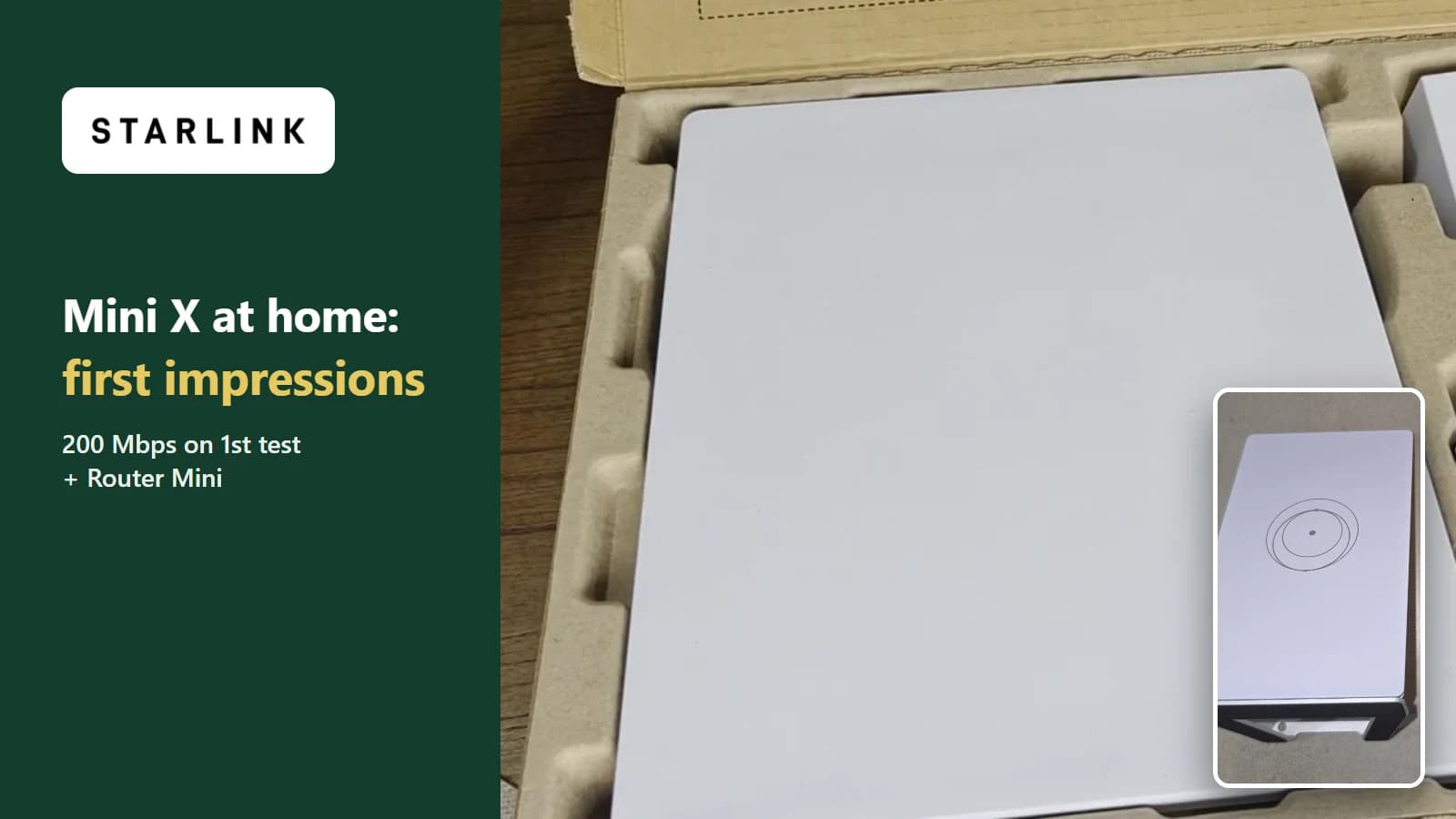
On November 19, 2026, I bought the Starlink Mini X kit on the Residential Max plan. The kit came with the dish, the power accessories and a Router Mini with its own base. The order arrived seven days later, on November 26, 2026, well packed, with each piece separated in molded pulp dividers.
Right after completing the purchase on the official website, I was able to schedule the free professional installation included with the Brazilian plan (this varies by country) directly through an external booking partner linked by Starlink, with the visit set for December 10, 2026. If you plan to subscribe for the first time, starting your order on starlink.com through the official link on our Starlink referral page locks in US$ 100 in the US or £40 in the UK as a bill credit after two paid billing cycles (and the referrer gets the same reward), alongside the 30-day window to test and return the undamaged kit if the signal does not meet your needs.
Temporary balcony mount without drilling anything
You do not have to wait for permanent roof mounting to try the service: a steady spot with an open view of the sky and an outlet nearby gets the dish online right away.
Since the technician visit is still coming up, I had shortlisted a few spots around the house where I could brace the Mini X firmly without permanent fasteners. My first try was the master bedroom balcony, where the app previews sky visibility, though I wanted to see how it behaved in practice.
I wedged the dish securely between the balcony safety netting and the guard rail support. Because an AC outlet sat right beside that temporary spot, powering it up was instant and, in this first contact, I did not even need to unroll the entire cable.
15 to 20 minute activation and the auto-Wi-Fi catch
Initial onboarding in the app is straightforward, but turning off automatic Wi-Fi switching on your phone stops it from dropping the dish mid-setup.
That was the single annoying wrinkle on day one: during the initial steps, your phone must stay connected to Starlink's temporary Wi-Fi network, which has no internet access yet. As soon as my phone noticed there was no internet, it automatically hopped back onto one of our existing home Wi-Fi networks.
Once I locked the connection manually and started alignment, the process just needed a bit of patience: the dish finds its best orientation there, scans for obstructions and downloads software updates at the same time. From plugging into the outlet to browsing over Starlink Wi-Fi on my phone, the whole process took 15 to 20 minutes.
What to check on first activation
0 of 4 checked- Disable automatic Wi-Fi switching on your smartphone so it does not leave the dish's temporary offline network.
- Brace the Mini X firmly before plugging it in so wind cannot shift it even during a temporary test.
- Wait for the software download to finish and for the 3D alignment assistant to confirm the dish is aimed properly.
- Verify in the app dashboard that your subscription shows as active before setting up the Router Mini.
Balcony speeds and obstructions after two hours
Even resting temporarily on the master suite balcony with partial sky obstruction, the link held steady without a single drop during the first two hours of use.
On my first speed test right after the network came up, I hit 200 Mbps download, 19 Mbps upload and 25 ms ping. To check sustained heavy usage, I left an Air Explorer task backing up from OneDrive to Google Drive: 2 GB transferred in over an hour straight, and even though the transfer rate is lower than my wired home fiber, the transfer stayed steady throughout the period I monitored.
After two hours online, the app's obstruction map confirmed what I expected: tucking the dish against the side of the balcony is not the clearest spot on the property, yet everything ran smoothly with zero interruptions. The app itself notes that it needs a few hours to settle and complete the sky map, so it pays to be patient before judging signal quality. In my case, permanent roof mounting should raise the peak speed ceiling. Starlink does not guarantee a fixed minimum speed per plan, and results vary by region and sky clearance.
- First test download
- 200 MbpsTemporary balcony reading
- First test upload
- 19 MbpsBrazil Residential Max plan
- Latency (ping)
- 25 msRight after activation
- Outlet to online
- 15 to 20 minIncluding alignment and update
Zero drops in 2 hours on the balcony (despite partial obstruction) and steady transfer of 2 GB in over 1 hour between clouds.
Router Mini through thick walls and living room signal
At home, with thick walls, the dish on the balcony alone does not bring Wi-Fi to every room. With the Router Mini at a spot between the balcony and the living room, the signal in the living room came out strong.
For real-world context, Wi-Fi has always been tricky in my home because of the walls. Today I run a three-node TP-Link Deco BE22 mesh (two of them wired to each other, the main unit and the main living room node, with the third running wirelessly) and still end up with medium-to-weak dead zones, including that very bedroom balcony. So I set up the Router Mini that comes in the Mini X kit right away.
Once you plug the Router Mini into power, you wait a few minutes for it to show up in the app and add it as a wireless mesh node in a very simple flow. I placed it in the main living room first, and the app immediately warned that signal strength was poor and asked me to move it closer to the dish. I relocated the Router Mini to a ground-floor spot closer to the balcony with fewer walls in between, and it linked up with the Mini X right away. While writing these impressions from the main living room, right where I wanted full bars, my phone showed Starlink Wi-Fi near 100%. Repositioning the Router Mini to that midpoint fixed living room reception, though covering every corner of the house will likely take a second Router Mini — this initial test did not measure room-by-room coverage to compare against the three Deco BE22 nodes. In this first test I ran everything over wireless mesh, without running Ethernet cables through the base ports yet.
First impressions: what stood out and what needs care
If you deal with fiber dropouts or want to verify real-world signal before drilling into your roof ahead of the technician visit, the setup already delivered plenty of stability during its first temporary hours.
Right out of the gate, I appreciated the tidy packaging, tool-free activation, drop-free browsing even in a partially obstructed spot, steady cloud backup transfers moving 2 GB in over an hour, effortless booking of free professional installation and the stronger living room signal after repositioning the Router Mini.
On the flip side, remember to disable automatic Wi-Fi switching on your phone, give the Router Mini a few minutes to appear in the app and wait out the first few hours of sky calibration. In large or multi-room homes, it also makes sense to budget for one or two extra mesh nodes.
I will update this review after the permanent roof installation scheduled for December 10, 2026. So far, I have not tested prolonged heavy rain, extended the cable to its full reach or wired the dish to the router via Ethernet. If you are still weighing Starlink models, also read my Starlink Mini vs Standard comparison.
Buy it if
- you deal with local fiber dropouts and want to test an independent connection before drilling the roof.
- you want a compact kit that sets up in minutes, with a Router Mini included to carry Wi-Fi past thick walls.
- you want to use the 30-day test window on a temporary spot while waiting for permanent installation.
Skip it if
- you already have steady street fiber delivering your paid speed without dropouts that justify a backup link.
- you expect to cover a large, heavily partitioned home relying only on the kit's dish and Router Mini.
- you require a guaranteed minimum speed or fixed latency under contract, since service varies by region and sky view.
Frequently asked questions
How long does it take to set up Starlink Mini X for the first time?+
It took 15 to 20 minutes from plugging into the outlet to browsing online with updates and alignment; check the activation section for how to keep your phone from leaving the temporary Wi-Fi network.
What speed did Starlink Mini X reach resting on the balcony?+
On my first balcony test I measured 200 Mbps download, 19 Mbps upload and 25 ms ping. It held steady with zero drops for two hours despite partial obstruction, and transferring 2 GB in over an hour stayed steady throughout the period I monitored.
Does Starlink Mini X alone cover a large home with thick walls?+
Not in my layout; once I repositioned the kit's Router Mini at a clear spot on the ground floor, signal hit near full bars in the main living room, and larger homes may need a second node.
Do you have to drill the roof to test before permanent installation?+
No; simply resting the dish firmly with a clear view of the sky near a power outlet lets you test the service within the 30-day return window.
How does the Starlink referral link bonus work?+
For new customers who order on starlink.com via the official link and keep two paid billing cycles, US$ 100 in the US or £40 in the UK is applied as a bill credit, as I explain in the delivery and order section.
Gallery
Photos
Swipe to see more · 5 photos
Shopping at Starlink
Starlink
Applied automatically through Cecília's link.
- Valid for
- First subscription to a Residential or Roam plan, ordered on starlink.com through the link
- Stacks with other promotions?
- The reward is not a discount on the order: it arrives after two months of service, and the order keeps the price and promotions Starlink…
- Checked on
- November 23, 2026


Hi, I’m Bruno
Cecília’s husband and the other half of Em Casa, behind the camera and the computer.
Related articles
View all Starlink
 Residential 100 Mbps, 200 Mbps, or Max: prices, hardware, and which plan fits
11/24/2026, Decision Guide Starlink
 Mini vs Standard (V4): router, Wi-Fi range, power draw and which to choose
11/24/2026, Comparison Guide Starlink
Buy Starlink on starlink.com or at Best Buy, Amazon, Home Depot and Currys?
11/24/2026, Buying Guide Starlink
 on Trustpilot: a 1.6 score from 879 reviews and what people complain about
11/20/2026, Reputation Analysis Starlink
Is Starlink legit? How to find the official site and check who is selling
11/20/2026, Editorial Starlink
Does Starlink have a contract? A $0 rental kit, no fixed term in the US and UK, and the 30-day refund
11/20/2026, Practical Guide